InsightIQ ERP: one system from the first quote to the last payment
For job shops and make-to-order manufacturers who have outgrown spreadsheets and don't want a system that takes a year to learn.
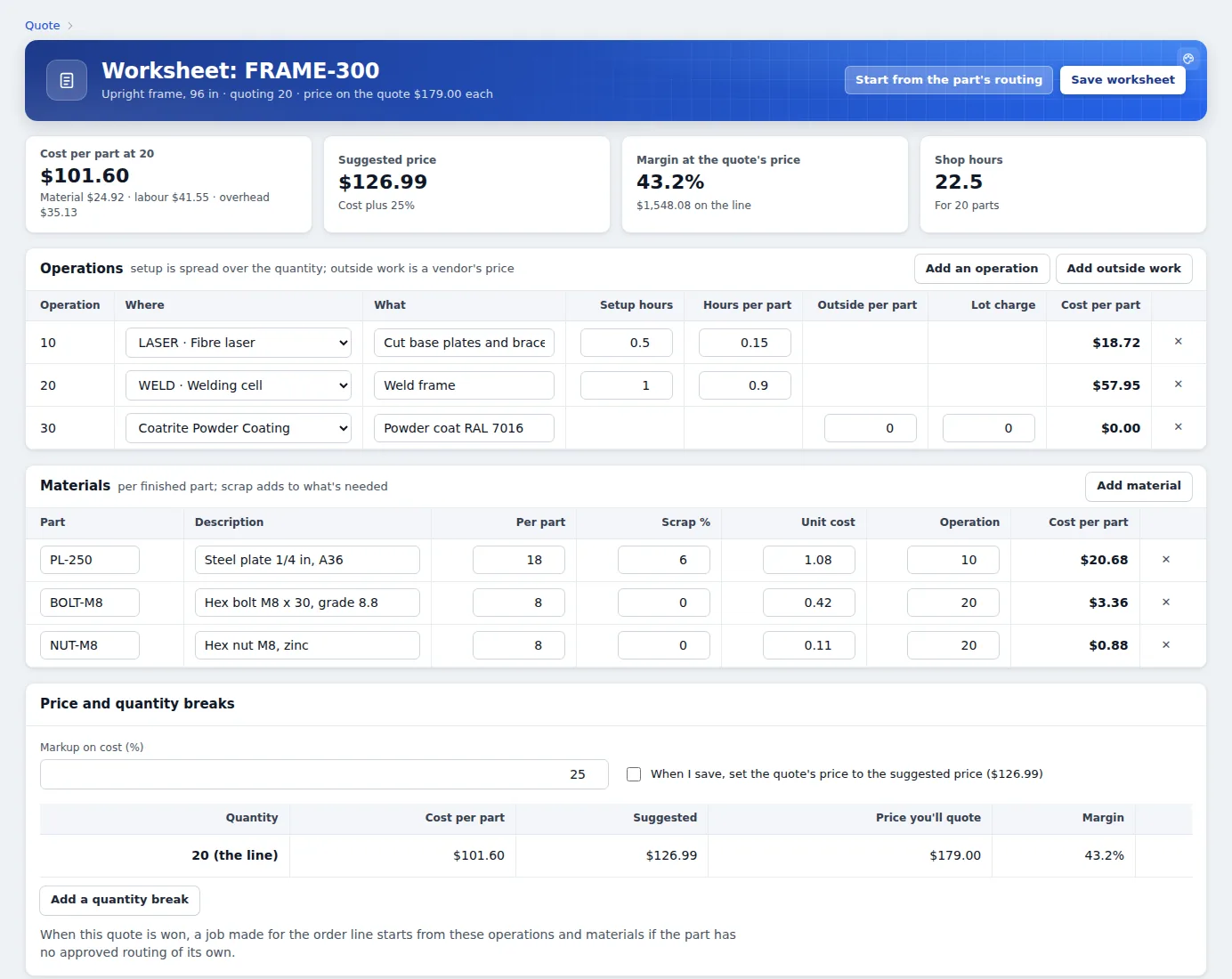
Quote with real costs, not guesses
Build a price from the work itself and see the margin before you send it.
- A costing worksheet for each quote line: operations, setup and run hours, material with scrap, outside work and lot charges
- Quantity breaks, suggested price and margin, worked out as you type
- A follow-up booked when a quote goes out; a pipeline of what's waiting; win and loss reasons kept
- Won quotes become sales orders with delivery dates, and a credit check
- Notes from emails and meetings filed on the customer or the quote
Know what to make, buy and chase
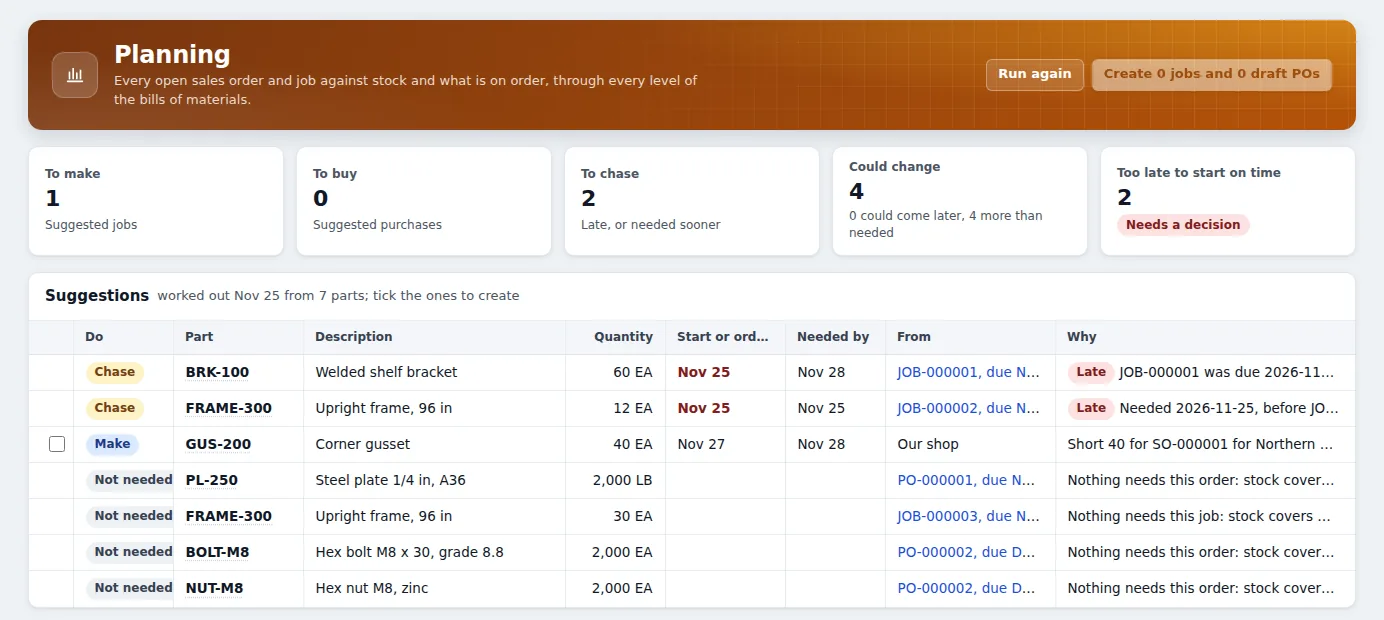
Planning checks every open order and job against stock and what's on order, through every level of the bill of materials.
- Suggests jobs to make and purchases to place, sized by your reorder settings and minimums
- Flags orders to chase, push out, reduce, or that are no longer needed
- Creates the jobs and draft purchase orders you tick
- A backward schedule in working hours, using your company calendar
Every job, its next step and its cost
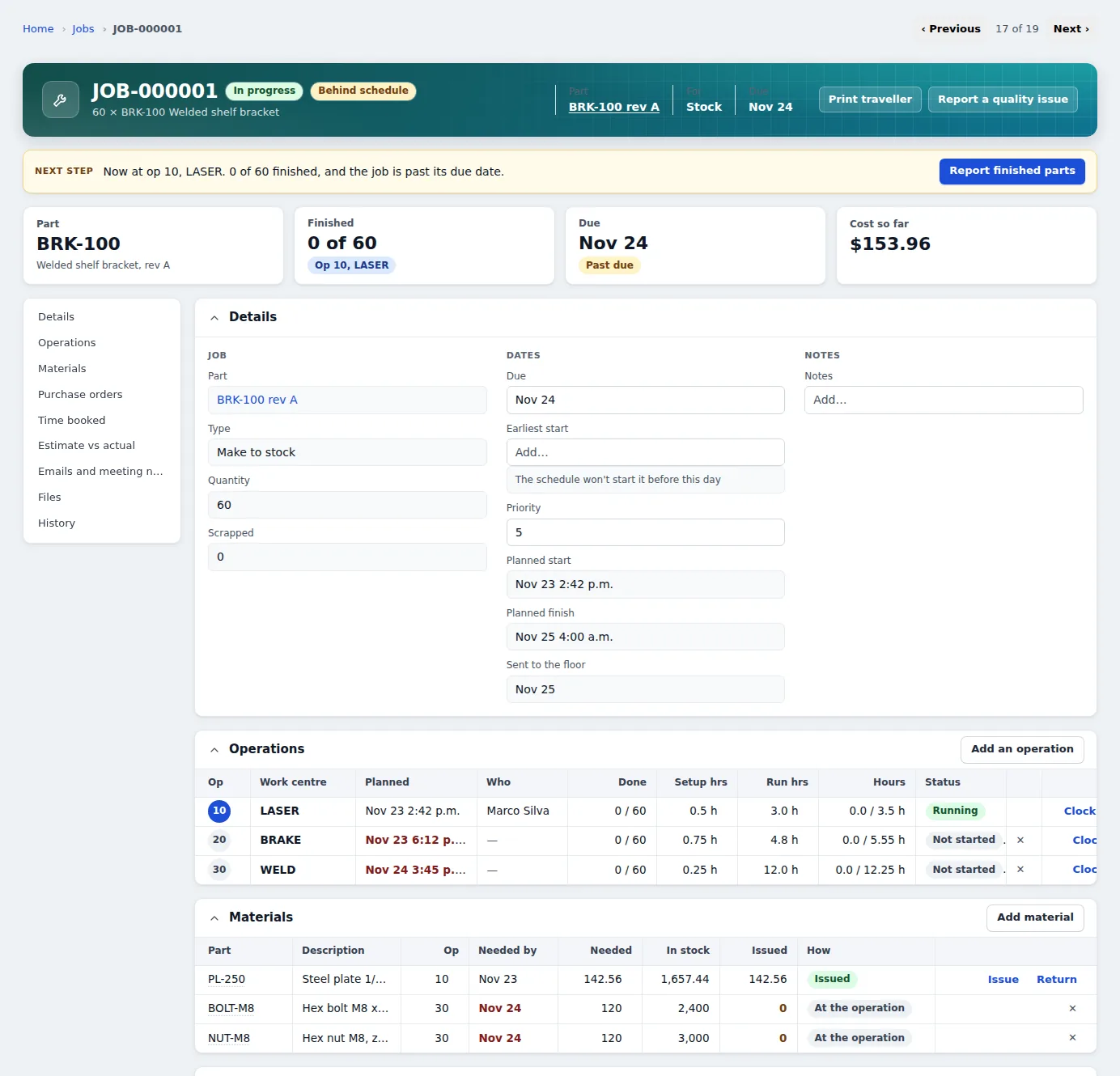
A job page tells you where the work is, what's late, and what it has cost so far against the estimate.
- Jobs from the part's approved revision, or straight from the quote worksheet
- Operations by work centre, material issued and returned, sub-jobs for parts made in-house
- Clock in and out by job and operation; time corrected only with a reason
- Outside processing sent to a vendor on its own purchase order
- Printed job travellers; finished parts go to stock at cost
Time on every job, as it happens
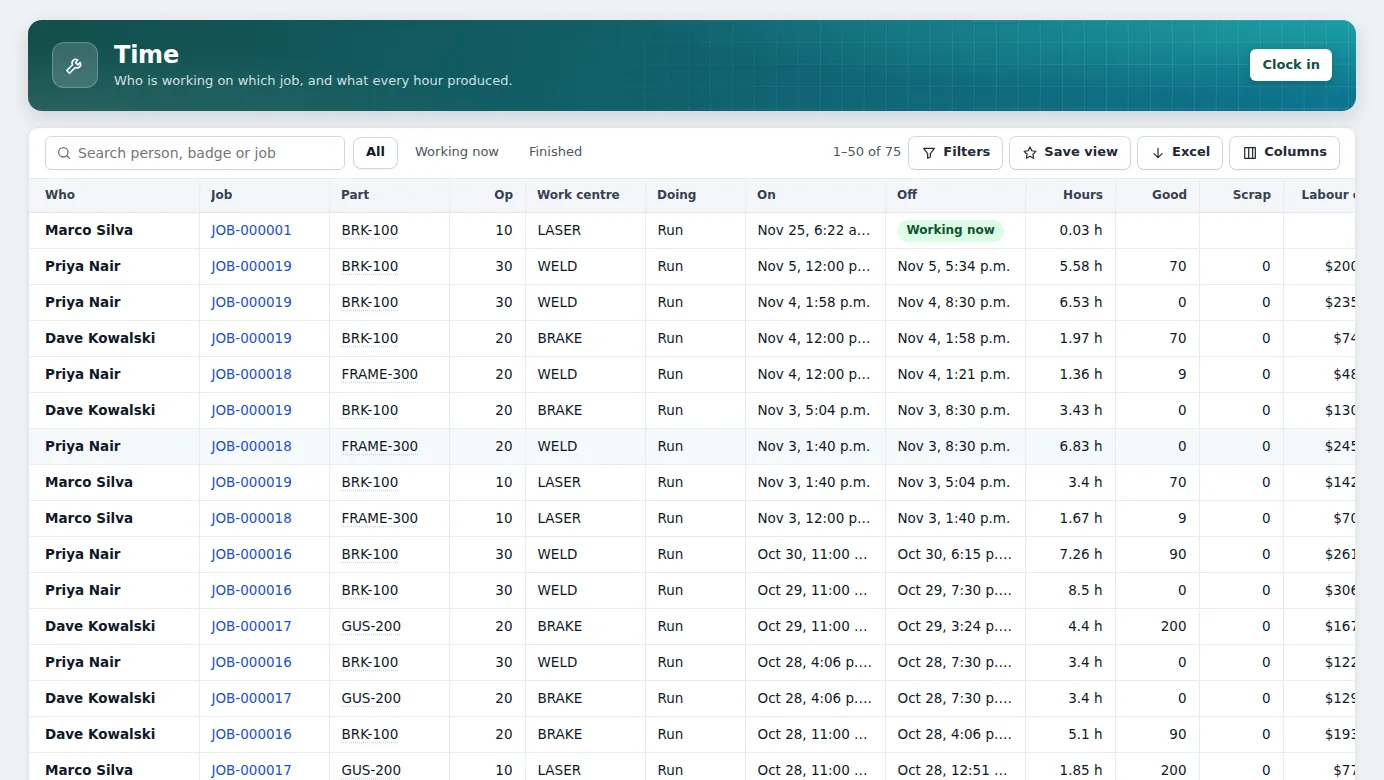
People clock in and out against a job and an operation, so you see who is working on what and what every hour produced.
- Clock in from a badge screen on the floor, or from a phone
- Good and scrapped parts reported with the time
- Labour cost lands on the job as the work is done
- Look up a part, bin, lot, job or PO on a phone, then move or count stock on the spot
Purchasing with approvals built in
- Requisitions anyone can raise; an approver decides
- Purchase orders with approval, and changes that need it again when the cost goes up
- Receive to stock or straight to a job, with lots and tracing
- Wrong parts become a quality issue (NCR) and a return to the vendor
- A vendor's emails filed on its purchase order
From packing slip to payment
- Packing slips, invoices, statements and reminders
- Payments, credit notes and customer returns
- Vendor bills matched against the PO and what was received before they're paid
- Exports to QuickBooks for your accountant
- Money hidden from people who shouldn't see it, on screen and on paper
See how the shop is doing, week by week
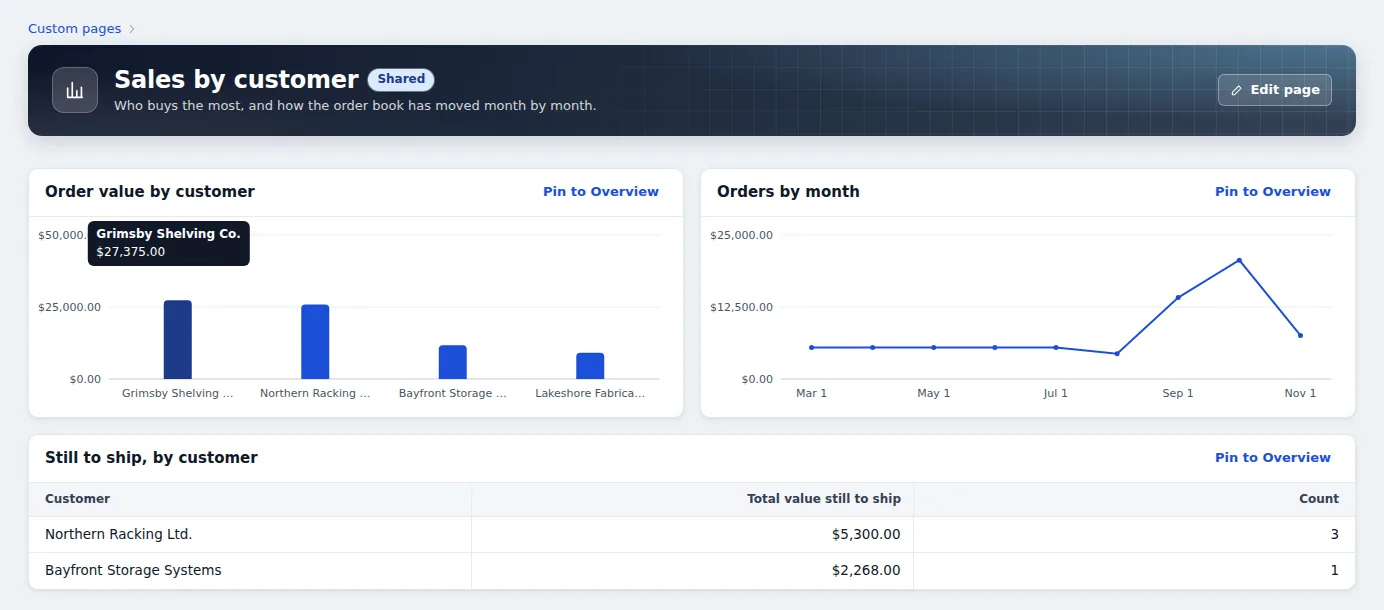
Orders, deliveries, on-time rate, money owed and job costs, with one click to filter by a week or a customer.
- An Overview anyone can arrange, with their own pinned reports
- Build your own report pages by dragging fields, no code
- Connect Power BI, or export everything
- A full change history: who changed what, and when
Up and running with your own data
You don't start from an empty screen. We bring your spreadsheets in and set the system up around your shop.
See it
A demo on a sample fabrication shop, then a look at how your shop works today.
Load your data
Parts, routings, customers, vendors and opening stock, from Excel, in guided steps.
Set up your people
Roles and permissions for office and floor, and two-step sign-in.
Run a real order
One order end to end with us beside you, before you switch over.
Pricing. You pay per person, per month, with setup quoted separately. We're agreeing terms with our first shops now, so ask us for a quote.
Watch a quote become a shipped, invoiced order
We'll run it on a sample shop. Bring your hardest job and we'll show you how it would run.